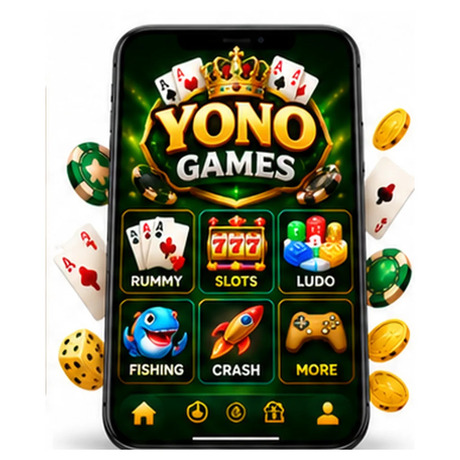

Download Yono Games
| Platform | Android, iOS |
| App Size | 80.16 MB |
| Downloads | 459K+ |
| Rating | 4.8/5 |
Yono Games is a name used by several mobile gaming apps and websites, so identifying the exact product is the first step before downloading anything. Some listings use the name for card-based entertainment, while others describe collections of casual games, virtual coins, or different in-app activities. These products should not automatically be treated as one platform.
For Indian Android users, the distinction matters. The game catalogue, account requirements, internet access, payment features, and download method can vary depending on the publisher and app version. A page describing offline physics puzzles and adaptive AI, for example, should not be taken as proof that every app called Yono Games includes those features.
This guide looks at the available information about Yono Games, explains how to assess its gameplay and app identity, and covers practical checks to make before installing a Yono Games APK.
What Is Yono Games?
Yono Games is not a sufficiently unique app name to identify one publisher or a single, consistent game library. Several unrelated Android listings use similar names. Their descriptions point to different types of entertainment, including rummy, casual mini-games, and collections of card or arcade-style activities.
One Google Play listing titled Yono Games, published by Yobins Enterprises, describes its product as Yono Rummy. Its store description highlights card gameplay, short rounds, simple controls, and strategy-based decisions. The listing also carries a Teen content rating and a simulated gambling label. This is different from a general offline puzzle collection.
Other listings titled Yono Game come from separate publishers and describe broader collections of casual or card games. Their game selections and features should be checked independently rather than assumed to belong to the Yobins Enterprises app.
Yono Games Is Not the SBI Banking App
The name may also be confused with YONO, the digital banking service associated with State Bank of India. Yono Games and SBI YONO are not interchangeable products. One is a name used for gaming applications and websites; the other is a banking service. Users should check the developer, package name, and official publisher information instead of relying on the word “Yono” alone.
Game Types and the Gameplay You May Find
The experience depends on which Yono-branded application is being considered. Some listings focus on card rounds, while others describe a selection of casual games. Before installing, read the full store description and inspect the screenshots to confirm that the available activities match what you want to play.
Card-Based Challenges
A Yono Games listing may feature rummy or other card activities. These games generally involve understanding the rules, assessing the cards available, and choosing moves carefully. In rummy, for example, players organise cards into valid sequences and sets. The exact rules, number of cards, and match format depend on the version offered by the app.
Simple controls can make card games easier to navigate on a touchscreen, but the quality of the experience also depends on how clearly the app explains its rules and displays the current round.
Casual and Mini-Game Collections
Some similarly named Yono Game listings describe several short-form activities within one application. A multi-game layout can be convenient for users who prefer switching between different styles rather than opening separate apps.
However, the catalogue is not standard across every listing. A game shown in one publisher’s screenshots may be absent from another publisher’s product. Check the current app description and in-game menu before assuming that a particular title, arcade mode, or board game is included.
Virtual Coins and Progress Tracking
Certain Yono Game listings mention virtual coins, activity records, or progress features. These systems may provide a way to track in-app activity or unlock content, depending on the product.
Virtual coins should not be confused with withdrawable money. Read the app’s own explanation of its currency and rewards. If a publisher makes claims about cash prizes, deposits, or withdrawals, verify the relevant terms separately rather than assuming that those features are available in every Yono Games app.
App Navigation and Everyday Use
A well-organised mobile game should make it easy to find the main activities, understand the available options, and return to a previous screen. When reviewing a Yono Games app, pay attention to the actual interface rather than relying only on promotional descriptions.
Finding Games from the Main Screen
Start by checking how the home screen groups its available games. Clear categories and recognisable game names make it easier to find an activity without repeatedly opening unrelated menus. Screenshots can also help you determine whether the interface is mainly designed for card games, casual challenges, or a mixed collection.
Understanding Match Controls
Before starting a round, look for instructions covering the controls, scoring, turn order, and any time limits. These details are particularly important in card games, where a small misunderstanding of the rules can affect the entire match.
If the app offers different modes, compare their instructions individually. Do not assume that every game follows the same scoring system or uses identical controls.
Checking Progress and Settings
Explore the profile and settings areas to see what information the app stores and which options users can change. Depending on the version, these sections may include sound controls, language preferences, gameplay records, or account information. Features should be confirmed in the installed product rather than inferred from another app with a similar name.
Does Yono Games Work Offline?
Offline support is one of the details users should verify before downloading. The supplied description of Yono Games refers to offline puzzles and board challenges, but that description alone does not establish that the currently available apps with this name support offline play.
Some games may require an internet connection to load content, connect to other players, verify an account, or update activity records. Other activities may work without a continuous connection. The requirements can differ even within a multi-game application.
To check offline availability, review the store listing, look for an explicit offline-play statement, and test the relevant mode after installation. If a game asks you to connect before opening, it should not be treated as an offline title.
Yono Games APK: What to Check Before Installing
An APK is the Android package file used to install an application. Searching for a Yono Games APK may produce files from different publishers and third-party websites, so the filename alone is not enough to confirm that a download is genuine.
Confirm the App’s Identity
Check the developer name, app title, package identifier, and version information. Compare these details with the publisher’s official listing wherever one is available. A page using the Yono Games name does not automatically represent the same app as a Google Play listing with that title.
Be especially careful with download pages that use screenshots or descriptions from unrelated products. If the publisher cannot be identified or the file’s origin is unclear, it is safer not to install it.
Review Permissions and Device Compatibility
Before installation, check which permissions the app requests and whether they make sense for its stated functions. A simple card game should have a clear reason for requesting access to sensitive device features. Avoid granting permissions that are unrelated to normal gameplay.
Also review the Android version requirement and available storage space. Do not rely on generic claims that an app runs smoothly on every older phone. Performance depends on the actual app build and the device’s hardware and software.
Install Carefully on Android
If you obtain an APK from a source you have independently verified, Android may ask you to allow installation from that specific browser or file manager. Only enable the permission for the source you are using, and turn it off again after installation if you do not need it.
Do not ignore security warnings or install a replacement file simply because a download page labels it as a newer version. Confirm the publisher and version before proceeding.
Yono Games App Download: Choosing the Right Source
The safest download route depends on which Yono Games product you intend to use. If the exact app is available through Google Play, open its listing and confirm the publisher before tapping Install. This gives you a clearer view of the app’s description, content rating, update information, and developer details.
If you are considering a direct Yono Games App Download, first establish that the website belongs to the publisher. A third-party page offering an APK is not automatically an official distribution channel. Avoid download pages that hide the publisher, provide inconsistent app details, or pressure visitors to install additional files.
After downloading, check that the file name and version match the information provided by the source. Keep Android security protections enabled, and do not share passwords, one-time codes, or banking details with an app or website unless you have independently verified why that information is required.
Performance, Storage and Phone Compatibility
A mobile game’s performance depends on more than its advertised graphics or technical claims. Device memory, Android version, available storage, background applications, and network conditions can all affect how smoothly it runs.
For a better first test, close unnecessary background apps and make sure the phone has enough free storage. If the game freezes or closes unexpectedly, restart the app and check for an update from the same verified publisher. Reinstalling from an unrelated APK site can introduce additional risks and may not solve the original problem.
Battery use also varies by activity. A simple card round may place a different load on the phone from a graphics-heavy arcade game or an online multiplayer mode. Test the modes you actually plan to use instead of assuming that every activity has the same performance requirements.
Account Access, Privacy and Responsible Use
Account requirements can differ between Yono-branded products. Some casual games may allow users to start playing with limited setup, while other services may require registration to access profiles or online functions. Check the sign-in screen and privacy policy before providing personal information.
If an app includes an account or wallet section, understand what each feature does before using it. Read the terms for any coins, promotions, or in-app purchases, including eligibility rules and restrictions. Never assume that a displayed balance can be transferred or withdrawn.
Age ratings also deserve attention. For example, the Yobins Enterprises Google Play listing for Yono Games is marked Teen and carries a simulated gambling classification. That rating applies to the specific listing, not automatically to every product using the Yono name. Parents should check the rating and content information for the exact app before allowing younger users to install it.
Common Problems and Practical Fixes
A few basic checks can help resolve common installation and gameplay issues. The right solution depends on the error and the Android version.
APK File Will Not Install
First, check whether the download completed successfully and whether the file is intended for your device. An incomplete file, incompatible Android version, or conflicting existing installation can prevent setup. Downloading the same file repeatedly from different unknown websites is not a reliable fix.
The Game Closes or Runs Slowly
Restart the app and close other applications that may be using device memory. Check for available storage and install updates only from a source you trust. If the problem continues, note the Android version and the exact error message before contacting the publisher.
A Game Mode Will Not Open
Some activities may need an internet connection or an account login. Check the game’s instructions and connection requirements before assuming that the feature is broken. If the mode remains unavailable, consult the app’s support information rather than installing an unofficial modified version.
Is Yono Games Worth Trying?
Yono Games may appeal to users looking for mobile card games or a collection of casual activities, but the name covers more than one product. The actual experience depends on the publisher and the version installed. A card-focused app should be judged by its rules, controls, match options, and clarity; a mini-game collection should be assessed by the variety and quality of its available activities.
The most useful approach is to identify the exact app first, then review its features, content rating, permissions, and download source. Claims about offline puzzles, adaptive AI, cloud synchronisation, animated themes, or advanced performance should be treated as unconfirmed unless they appear in the specific app’s current documentation or can be checked after installation.
For Indian users searching for Yono Games APK or Yono Games App Download, verifying the publisher is more important than choosing a page that promises the largest game library. A clear app identity and a trustworthy installation source provide a much better starting point.
Frequently Asked Questions
What is the Yono Games App?
Yono Games is a name used by multiple gaming apps and websites. Some products focus on rummy or card games, while other similarly named apps describe casual mini-game collections. Check the developer and app listing to identify the exact product.
Is Yono Games the same as SBI YONO?
No. Yono Games is associated with gaming products, while SBI YONO is a banking service from State Bank of India. They should not be confused simply because their names are similar.
Can I play Yono Games offline?
Offline availability depends on the specific app and game mode. The general name does not guarantee offline support. Check the publisher’s description and test the required mode to confirm whether an internet connection is needed.
Where can I download Yono Games APK?
Use the app’s verified publisher or its official store listing whenever possible. If you find an APK on another website, confirm the developer, package identity, version, and file source before installing it. Avoid files from pages that cannot establish where the app came from.
Does Yono Games support older Android phones?
Compatibility varies by app version and device. Check the minimum Android requirement and available storage before installation. Actual performance also depends on the phone’s memory and hardware.
Do all Yono Games apps offer the same features?
No. Apps using similar names may have different developers, game catalogues, account systems, and features. Information about one listing should not be applied to another without checking its identity.
Is Yono Games suitable for children?
Check the content rating and store information for the exact app. Some listings carry simulated gambling classifications or other age-related restrictions. Do not assume that every app using the Yono name has the same content or age rating.